Download Our Free OKR Planning Workshop Template
Most teams struggle less with understanding OKRs and more with actually getting in a room and setting them. This template gives you the full structure for a half-day or full-day workshop — whether you’re running it physically with post-its on the wall or digitally in Miro, FigJam, or Mural.
It covers everything from the opening energizer to the moment you walk out with 3 Objectives, 9 Key Results, assigned owners, and a first check-in on the calendar.
What’s included
- Workshop agenda: A full session structure with recommended timings across five blocks — welcome, objectives, key results, Noxit demo, and next steps.
- Two formats: A physical workshop version (whiteboard and post-its) and a digital version for remote or hybrid teams.
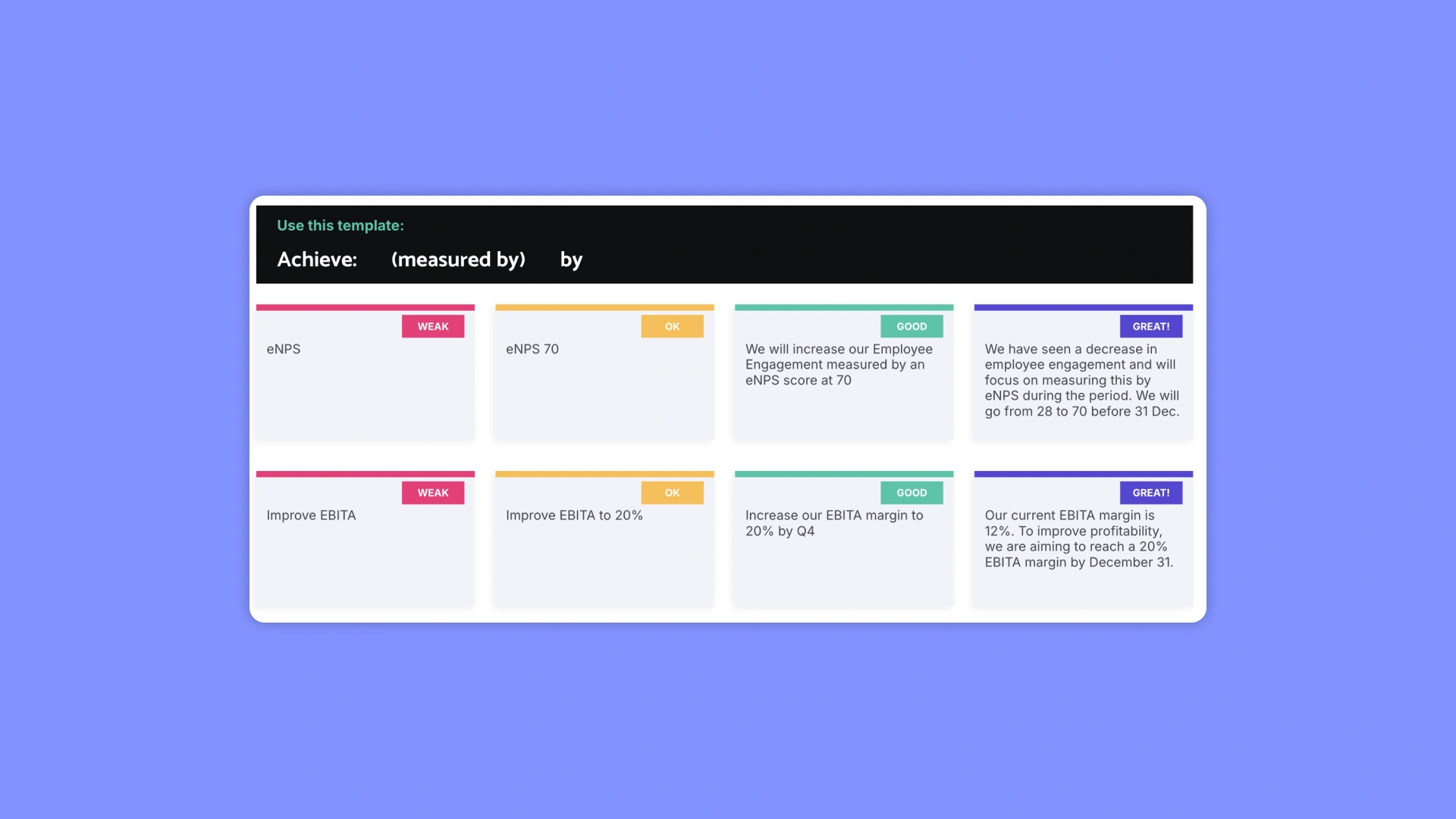
- OKR framework recap: Slides explaining annual vs quarterly OKRs, strategic vs tactical objectives, and how to write strong Key Results using the Achieve / measured by / by [date] formula.
- Facilitation slides: Individual reflection prompts, share-and-stick instructions, discussion questions, and voting rounds for both objectives and key results.
- Check-in design: A slide set for deciding how your team will track progress after the workshop — not just during it.
How to Use the OKR Planning Workshop Template
Download the file and choose your format — physical or digital. Share the agenda with participants in advance and assign a facilitator and a note-taker. The template is designed to take a group from blank slate to aligned, locked OKRs in one session.
After the workshop, move your OKRs into Noxit to track progress, run check-ins, and keep the whole organization aligned — without spreadsheets or status update meetings.
Also worth exploring: our PowerPoint OKR template for presenting goals to the wider organization after the workshop.