Best Practice: Successful Progress Tracking
Successful teams don’t just set OKRs – they build the habits that keep them alive. That means checking in regularly, maintaining accurate progress data, and using the Goal Map and Present Mode as the backbone of their team meetings. Here’s how to do exactly that.
The Goal Map
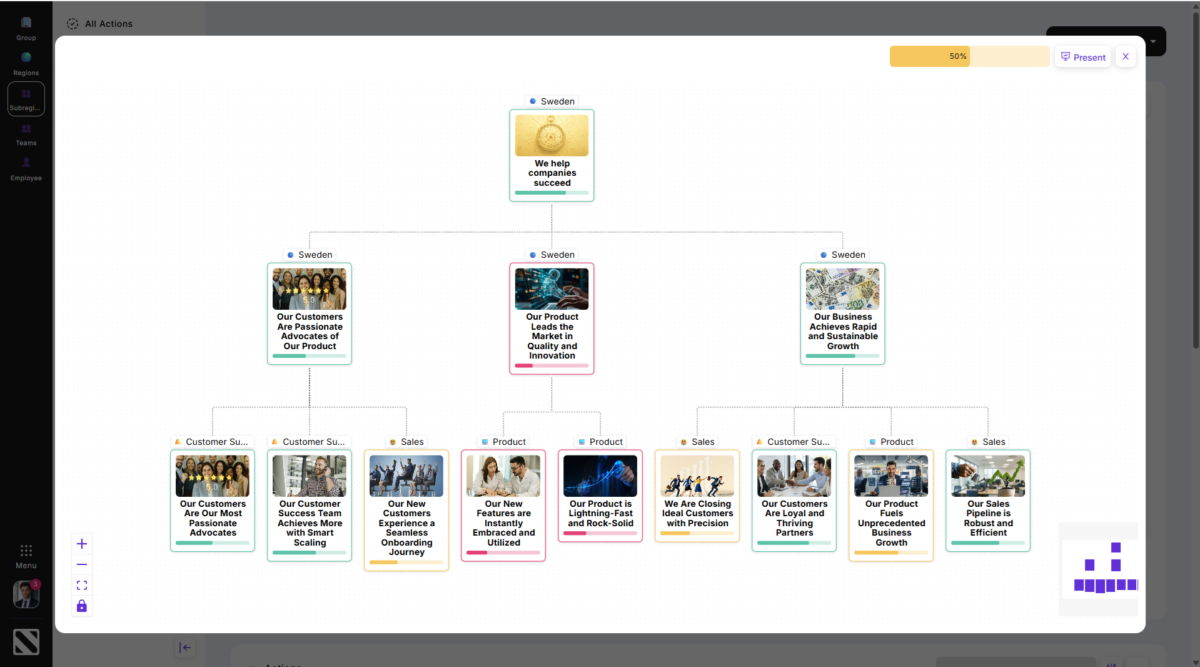
The Goal Map gives you an instant overview of where every OKR stands. Progress is visible at three levels:
• Each key result has its own progress bar and confidence indicator
• These roll up into a goal card score for each objective
• All cards feed into a consolidated view in the top right – a single number for the entire goal map
Present Mode
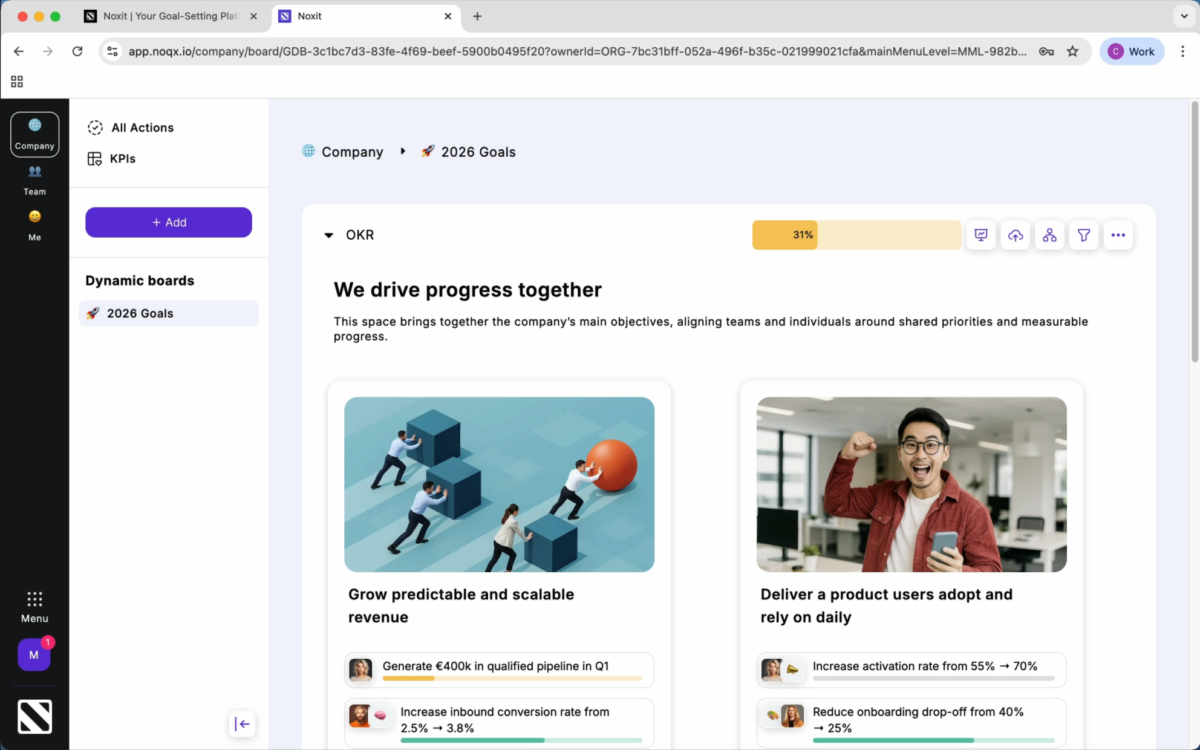
Present Mode gives you a detailed view of all key results – with the latest progress, confidence levels, and connected actions. Use it to run your team meetings directly from Noxit instead of maintaining separate status decks or update emails.
The Check-In
The Goal Map and Present Mode are only as good as the data behind them. A regular check-in routine is what keeps your OKRs alive. To check in on a key result:
• Go to the Me view to find all OKRs where you are the assigned owner
• Open a key result and press the progress update button – enter the current value or the change since last time
• Set your confidence: green (on track), yellow (at risk), or red (off track)
• Add a short comment explaining the number and what’s driving it
Don’t hesitate to mark yellow or red. It’s an early warning signal – not a judgment – and it gives your team lead the chance to support you before it’s too late
.
Building the Routine
The easiest way to make check-ins stick is to attach them to a meeting you already have. Update your key results in the five minutes before your weekly team sync, then run the meeting from Present Mode. When the whole team checks in regularly, the Goal Map comes to life – and everyone can see where things stand, where help is needed, and how their work connects to the bigger picture.