Release notes

What did Noxit

lately?

New feature

16 March


Trace connections in the Goal Map

Understanding how goals connect across teams just got easier.

You can now trace connections directly in the Goal Map. Select an Objective to highlight all related connections while the rest of the map fades into the background. This makes it easier to focus on how goals link together and how work contributes across the organization.

You can also select multiple items by holding down Command (⌘) and clicking on the cards you want to explore. This allows you to trace several connections at once and better understand how different parts of the strategy relate to each other.
New feature

16 March


Move Key Results across Objectives and Boards

You can now move Key Results to a new location without losing the work connected to them.

When moving a Key Result to another Objective or Board, all linked Actions automatically move with it. This makes it easier to reorganize work as priorities change while keeping execution connected to the right outcomes.

Use this when restructuring goals, adjusting ownership, or refining your OKR structure without having to recreate actions or progress.

Improvement

2 March

New action columns

We’ve added new columns to make actions easier to prioritize and plan:

  • Priority – quickly see what needs attention first

  • Complexity – estimate effort and better plan execution

  • Timeline – get a clearer overview of when actions should happen

Together these additions make it easier to structure and manage execution.

Improvement

2 March

Star multiple levels

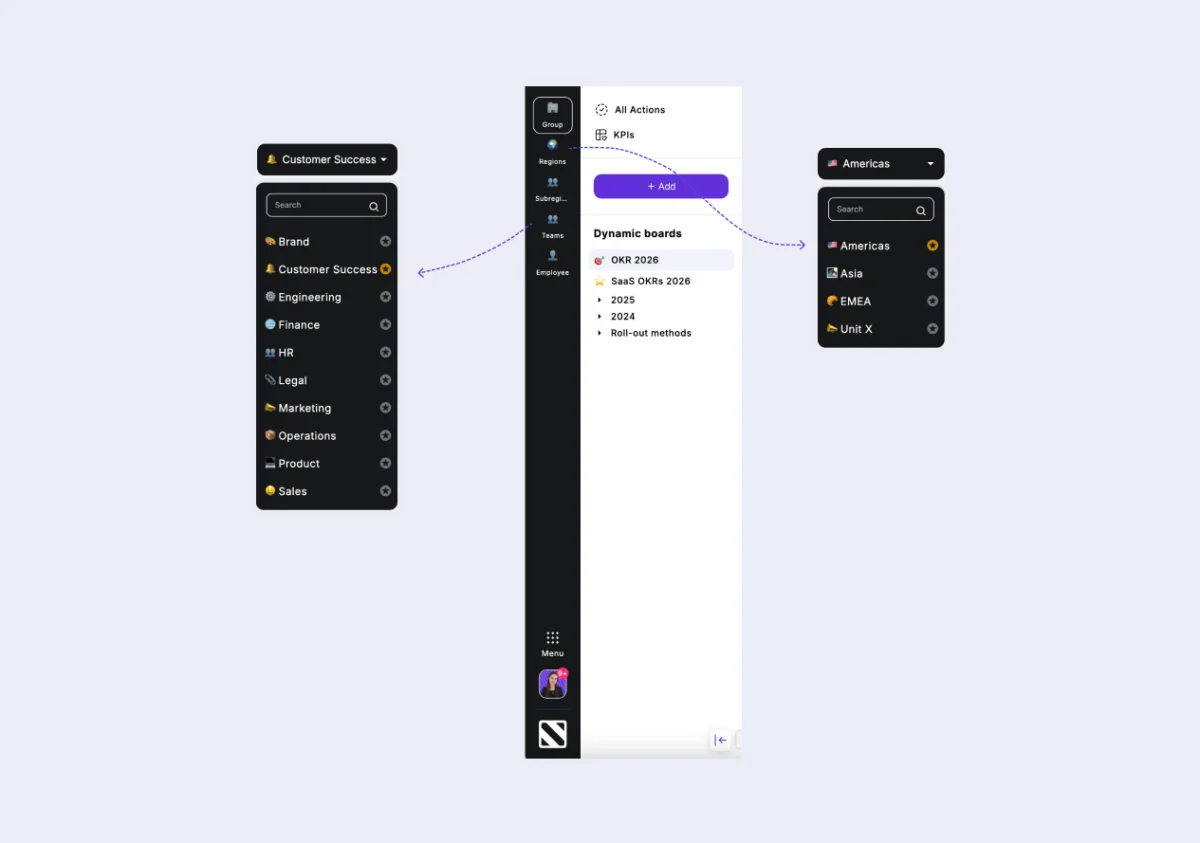
You can now star one team per level, making it easier to highlight and quickly access the teams that matter most across different levels of the organization.

Use this feature to pin your most relevant teams and keep them easily accessible as you navigate the platform.

New feature

12 February

Contributing Key Results

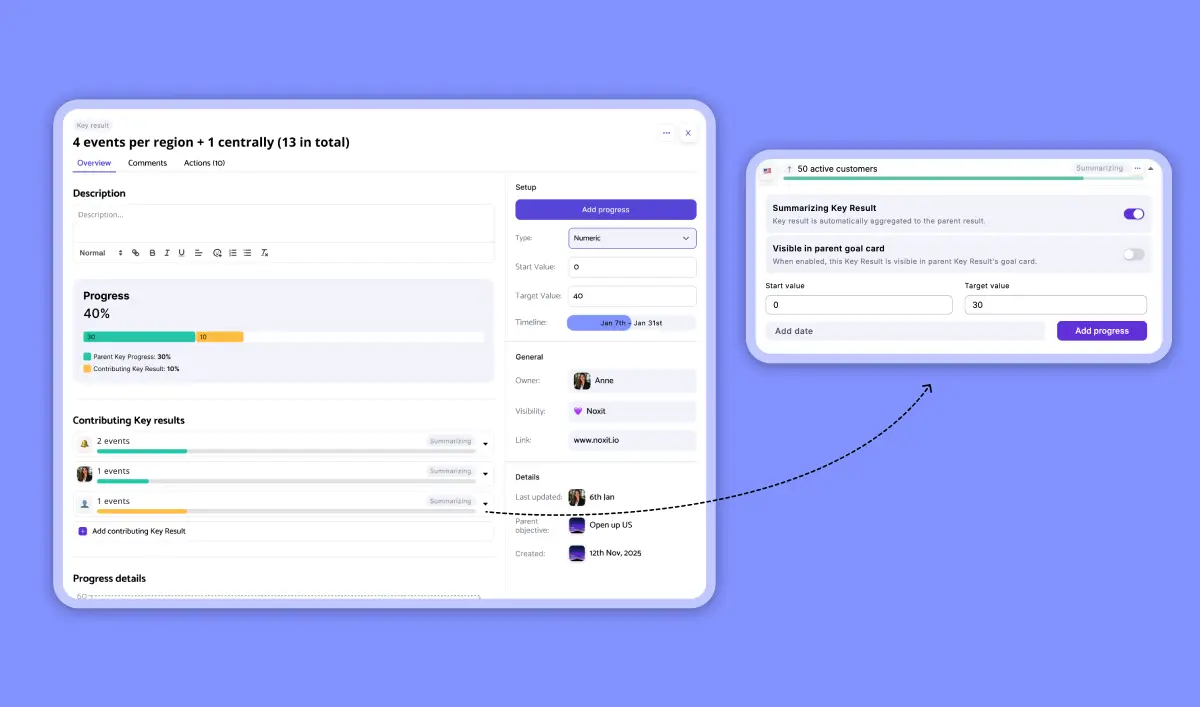
Key Results can now contribute to other Key Results, making it easier to visualize how work connects across teams and levels of the organization.

This helps create a clearer picture of how different initiatives support each other and how progress in one area contributes to broader outcomes. It also strengthens alignment between teams working toward shared goals.

New feature

8 January

Introducing KPIs

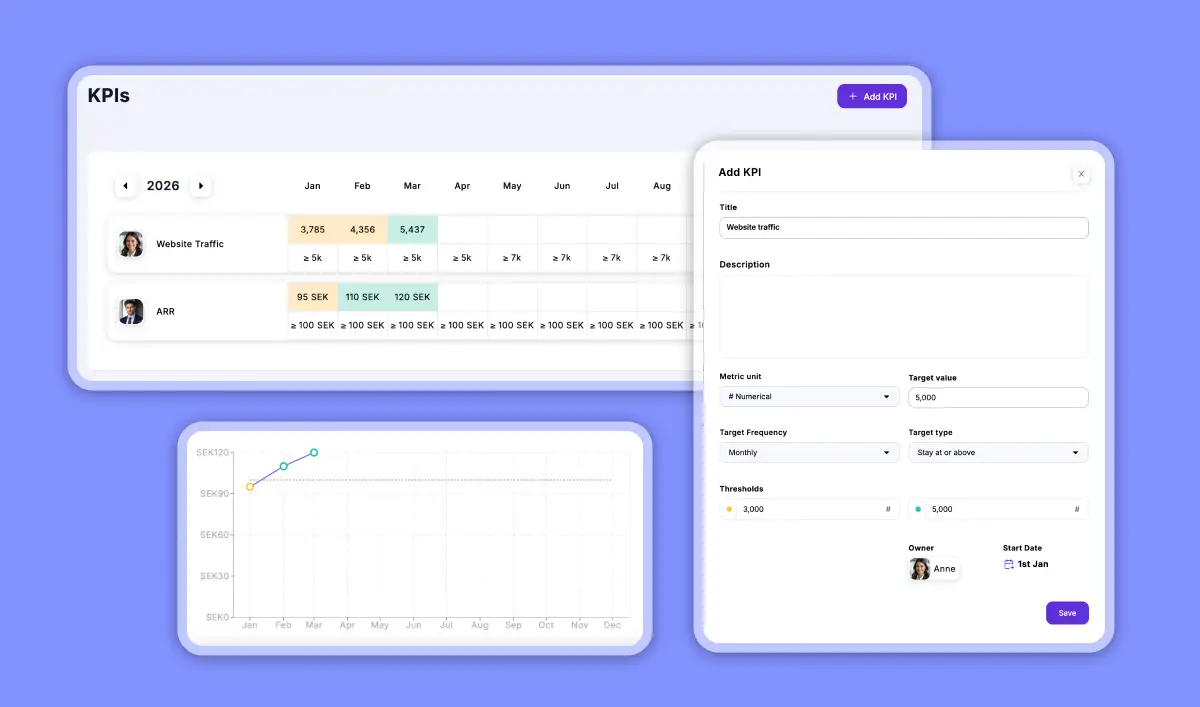
We’ve introduced KPIs as a new way to track important metrics alongside your OKRs.

While OKRs are designed to drive change and strategic progress, KPIs help teams monitor ongoing performance and important business indicators. Using both together provides a clearer picture of how strategy and performance evolve over time.

Set your target, choose a tracking frequency, and define the metric type (percentage, currency, numeric, etc.) to get a clear overview of how performance develops over time and how you measure against your targets.

Improvement

20 December

Improvements to Present Mode

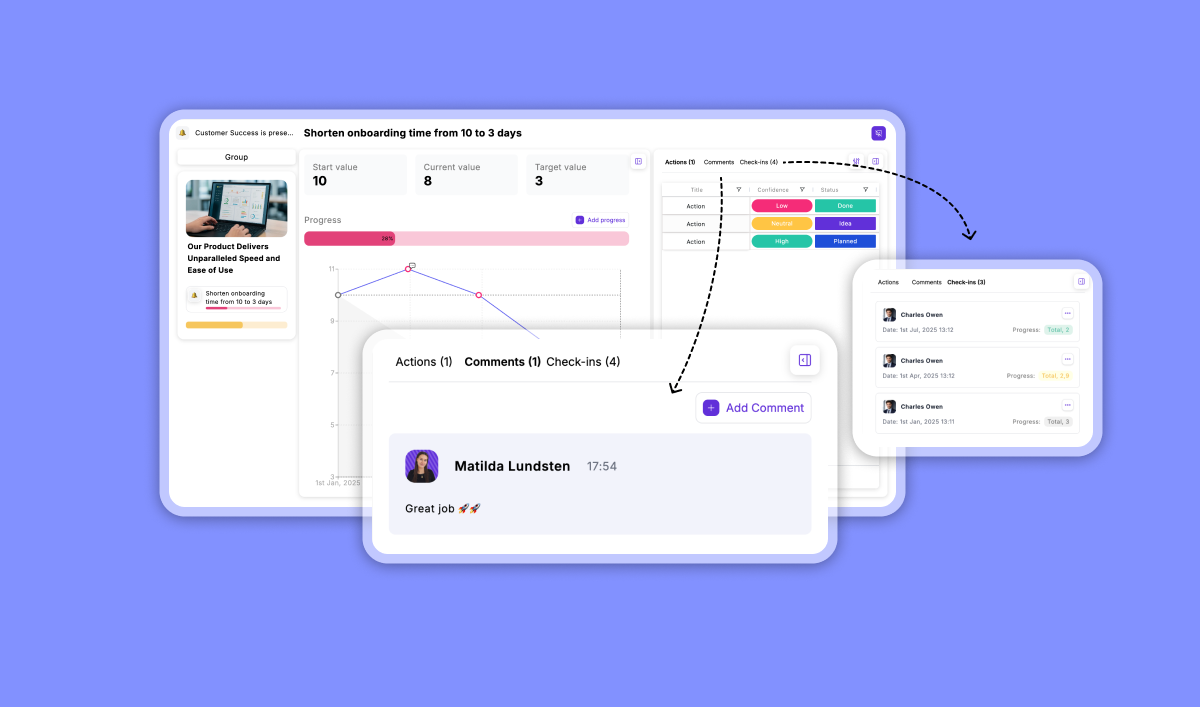
We’ve made several improvements to Present Mode to make meetings, reviews, and strategy presentations smoother.

You can now more easily:

  • update progress during presentations

  • add comments to capture discussions

  • add and manage actions directly in the flow

These improvements make Present Mode more interactive and allow teams to move seamlessly between discussing strategy and taking action.

Improvement

24 October

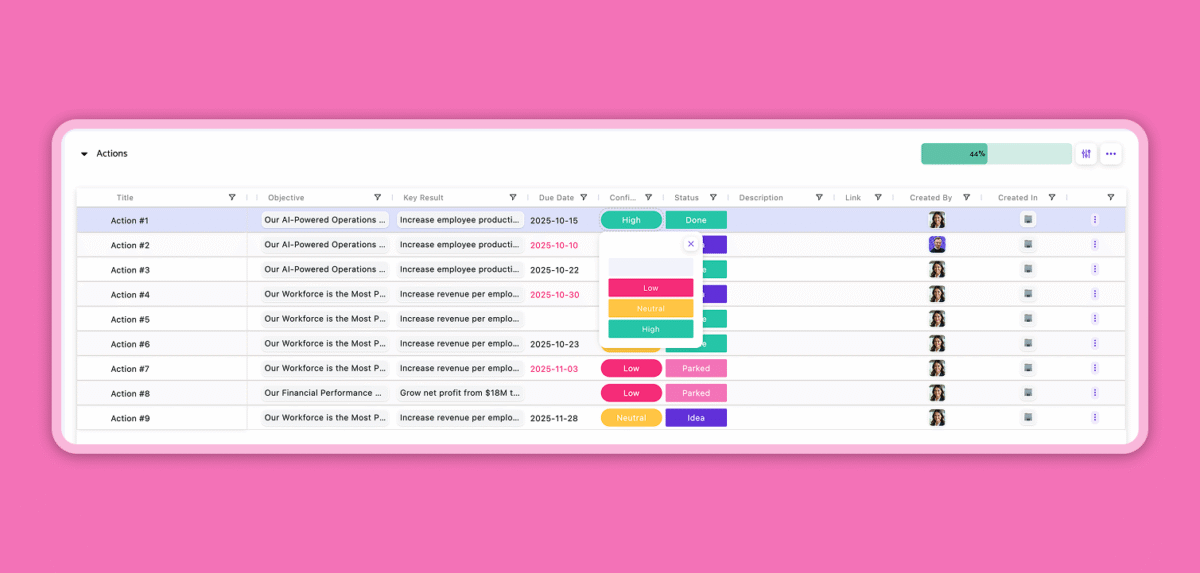
New action section column: Confidence

You can now track confidence directly in your Actions section. Add a confidence score to each action to reflect how certain you feel about marking things as done.

This helps your team spot risks early, discuss progress more meaningfully, and make data-informed adjustments as you go. A simple way to bring even more clarity and alignment to your OKR work.

Noxit Actions

New feature

20 September

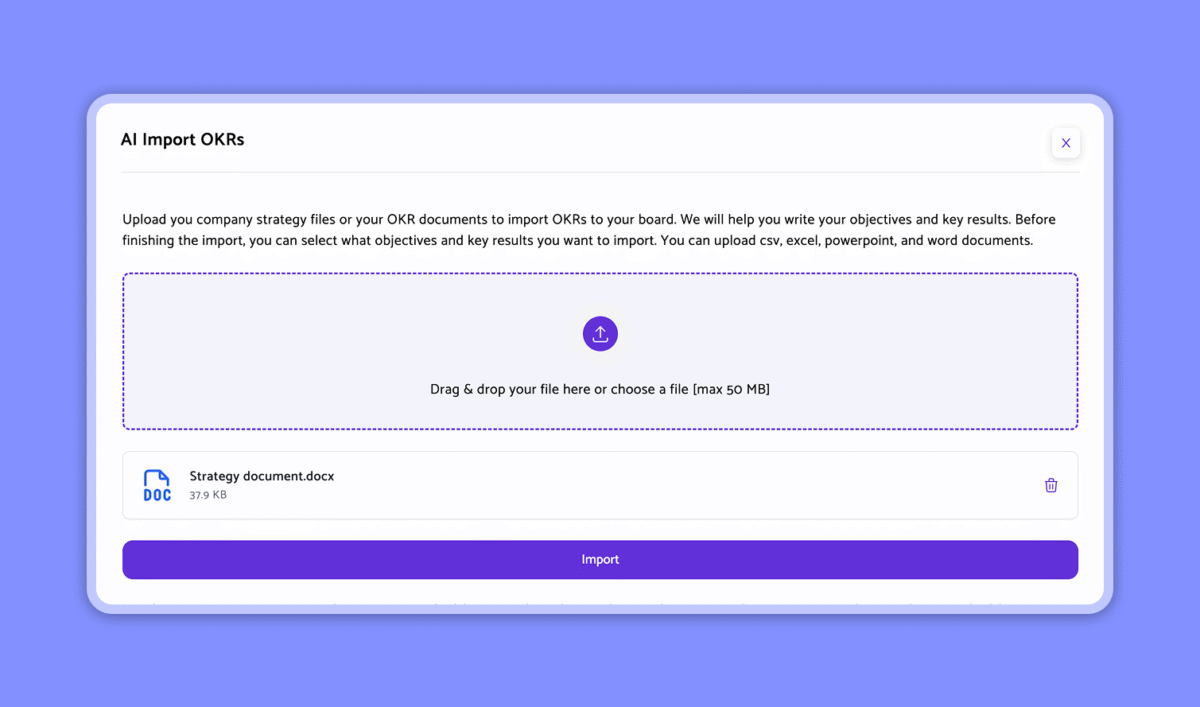
AI OKR import

Turn your strategy into action, faster than ever. With the new AI import, you can upload your existing strategy documents (CSV, Excel, PowerPoint, or Word), and Noxit will automatically analyze them to suggest clear, structured, and actionable goals.

You stay in control: review, refine, and choose exactly which goals to import before they’re added to your workspace. No more manual setup or endless planning sessions. Just a quick, guided start to your OKR process.

Start smarter. Plan faster. Achieve more.

New feature

2 August

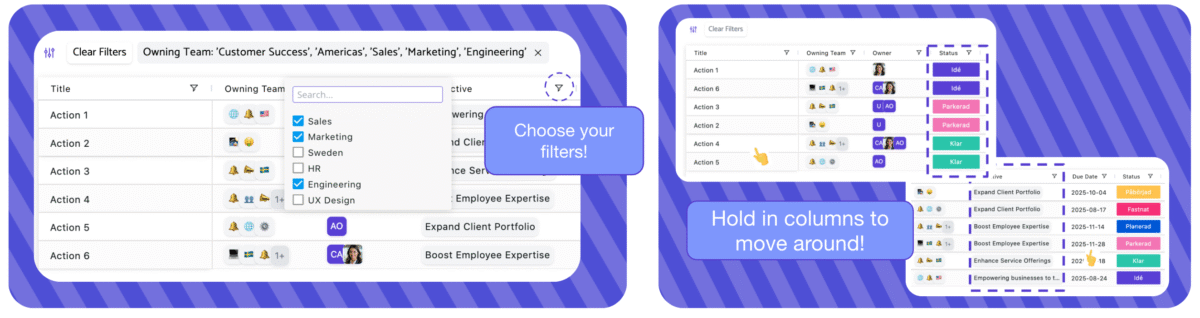
Individual action preferences

You can now personalize how you view and interact with your action lists.

  • Save your filters – Choose the filters that work for you, and they will stay exactly as you set them.
  • Arrange columns your way Move columns around to match your workflow. Your layout will be saved automatically, so it looks the same next time you log in.
  • Section-specific settings – Each action section remembers its own preferences, so you can filter and organize differently depending on the type of work you are viewing.
This means you always return to a workspace set up exactly how you like it.

New feature

15 July

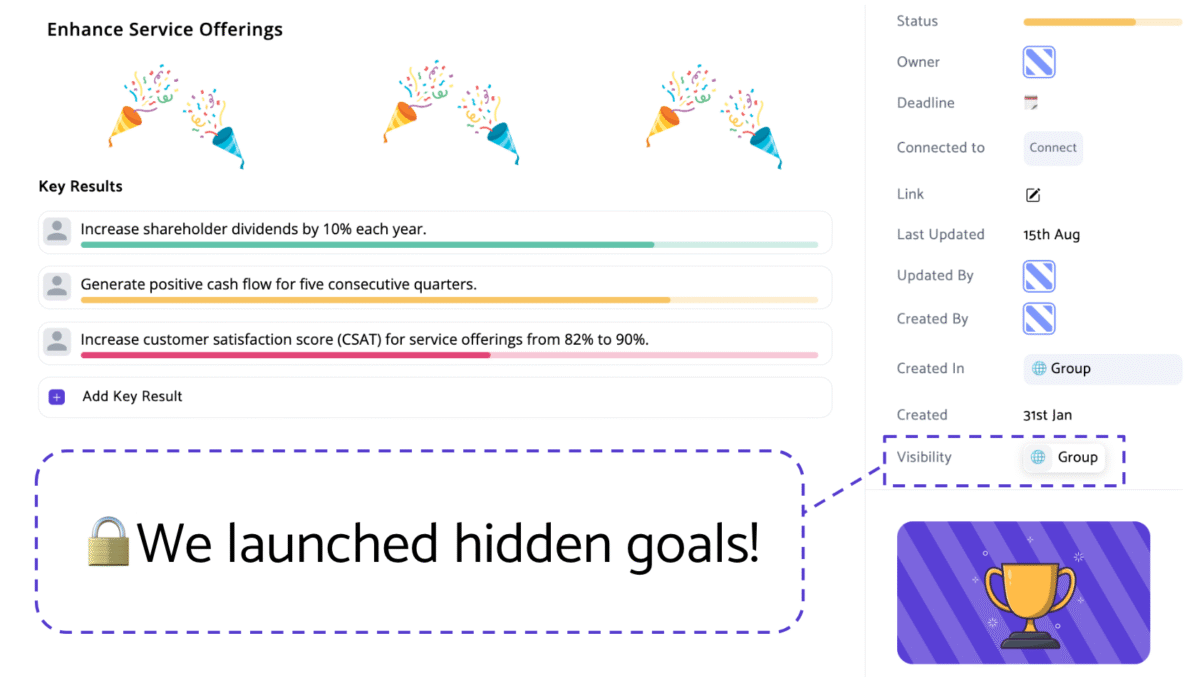
Hidden goals with visibility adjustments

You are able to adjust the visibility of goal cards. Share the right goals with the right people — and keep surprises, like that legendary company kick-off in Spain, under wraps until the perfect moment.

New feature

10 June

Additional levels

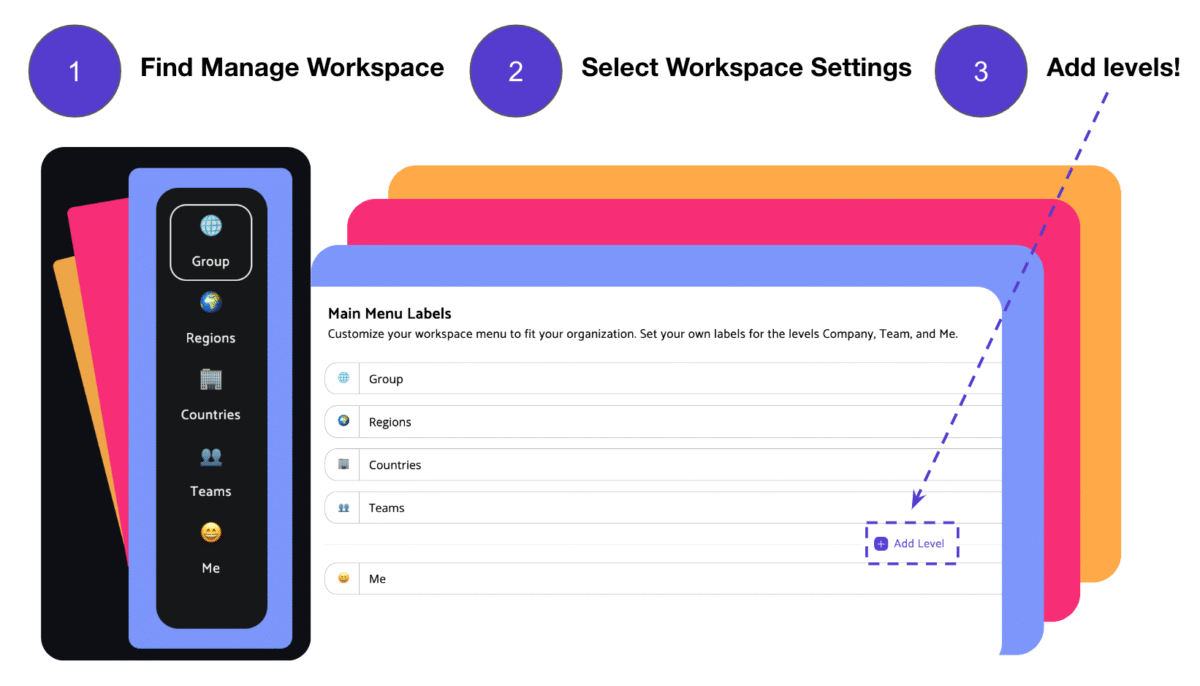
Noxit now scales seamlessly for large organizations! You can now add more organizational levels — perfect for growing enterprises. Give each level its own dedicated workspace to stay focused while staying aligned with the big picture. 

New feature

20 May

Present

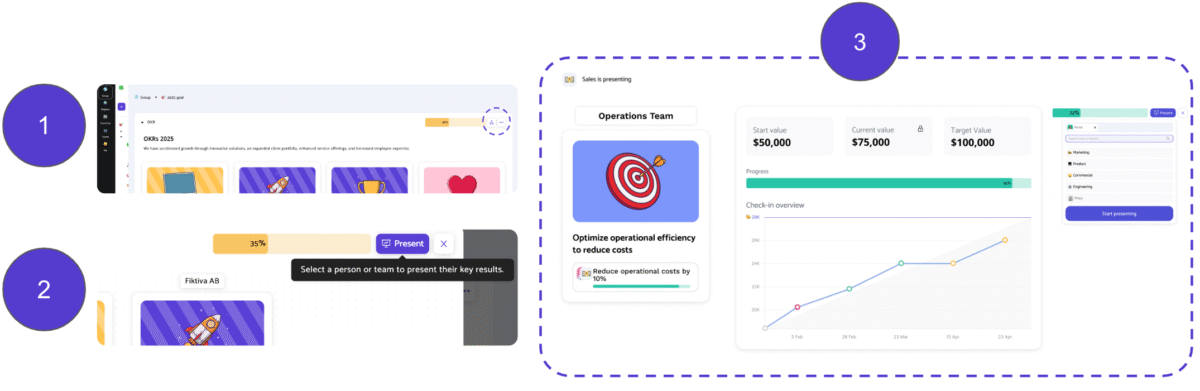
Run meetings that drive real progress! Our unique meeting module helps your team stay focused on what matters, cut through the fluff, and leave every session with clear next steps and renewed momentum.

New feature

23 April

Check-ins

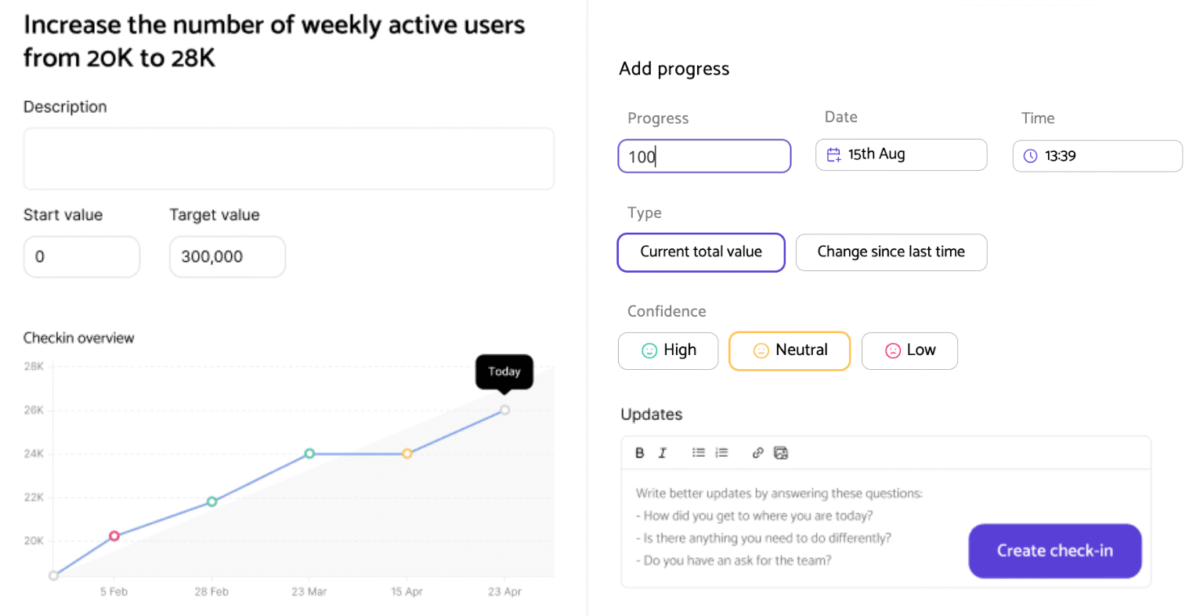
Check in your progress for your measurable goals over time! It gives a clear overview of how you are tracking toward your goals, drives accountability, and helps you take action early if you are falling behind.

New feature

15 March

Add comments

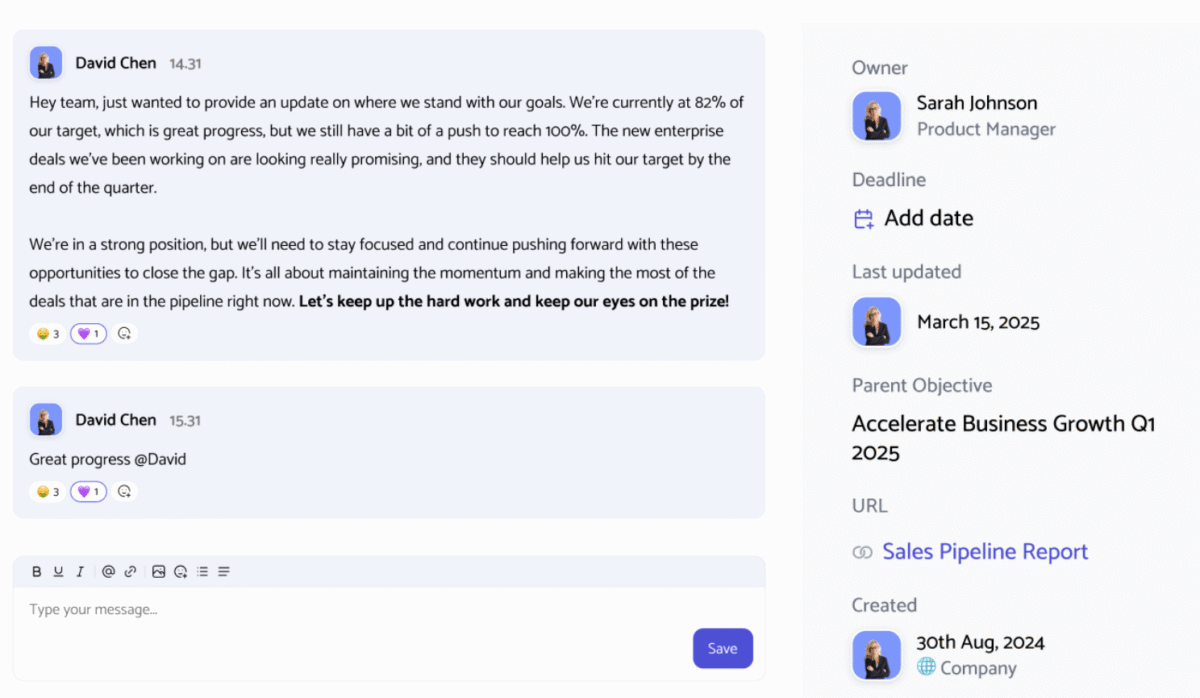
Add comments directly to your Objectives, Key Results, and Action Assignments! This makes it easy for you to share feedback, discuss progress, and collaborate with your team in real time.

Noxit Collaboration

New feature

24 February

Excel export

You can now export both your Dashboard and OKR sections to Excel! Easily download your Objectives and Key Results, including assignments, progress, and confidence levels.

New feature

10 January

Drop down on me level

Improvement

21 December

Cascading goals

New feature

7 October

Single Sign-On (SSO)

We’ve implemented Single Sign-On (SSO) to boost security and simplify the login process. SSO helps reduce password fatigue while improving productivity by allowing employees to access all tools with just one login.

Improvement

7 October

Column Sorting

Haven’t tried it yet? You can now sort all columns in our action section by due date, owner, and status, making your meetings more efficient and focused. Give it a go!

New feature

7 October

All actions

You can now see all actions from any board in a single view! It’s a great way to get a quick, comprehensive overview of your team’s progress.